
Domain health checks when connecting a sending account
What are domain health checks?
When you connect a sending account in Mailshake, we automatically run a few quick checks on your domain to help catch common setup issues early.
These checks are designed to give you visibility into your domain’s readiness and point you in the right direction if anything is missing.
What we check automatically
When a sending account is connected, we check:
-
Domain resolution & SSL
Ensures your domain resolves correctly and has a valid SSL setup.
-
MX records
Confirms your domain has MX records, which are required for sending and receiving email.
-
SPF record (presence only)
We check whether an SPF record exists on your domain.
-
DMARC record (presence only)
We check whether a DMARC record exists on your domain.
Understanding the alerts
You may see alerts during or after connecting a sending account. Here’s what they mean:
-
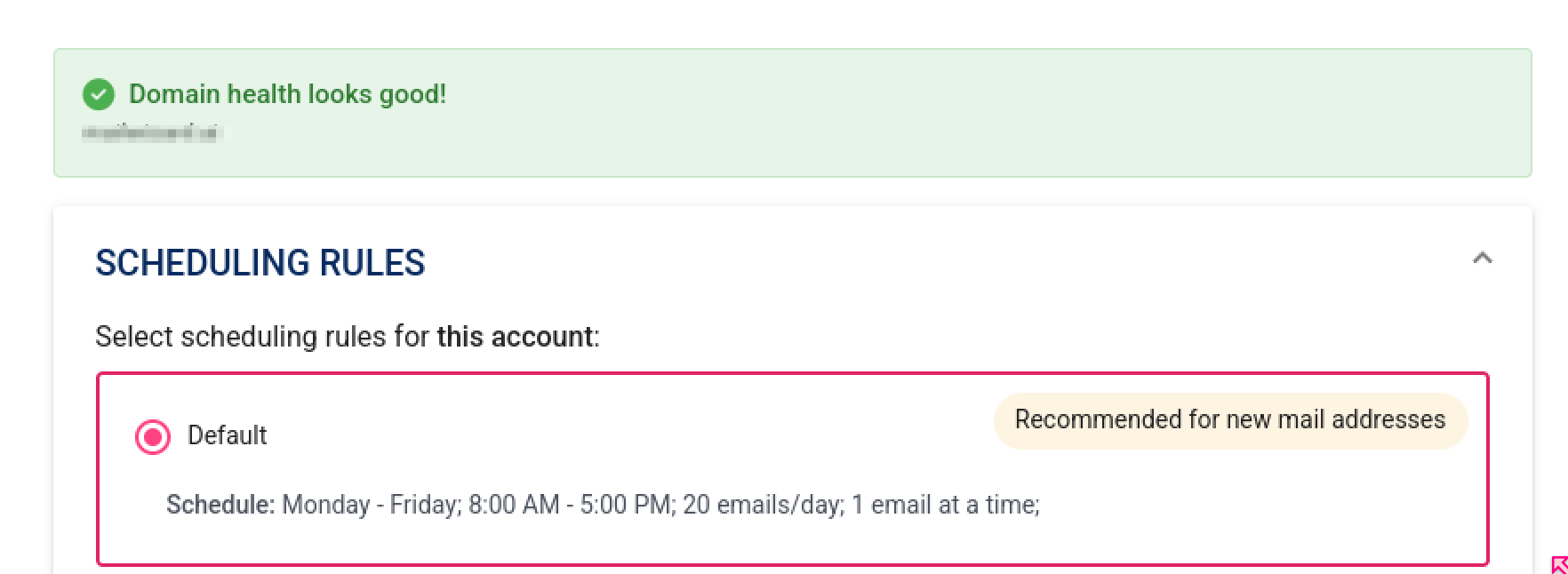
All checks passed ✅
Your domain has the required records in place.
-
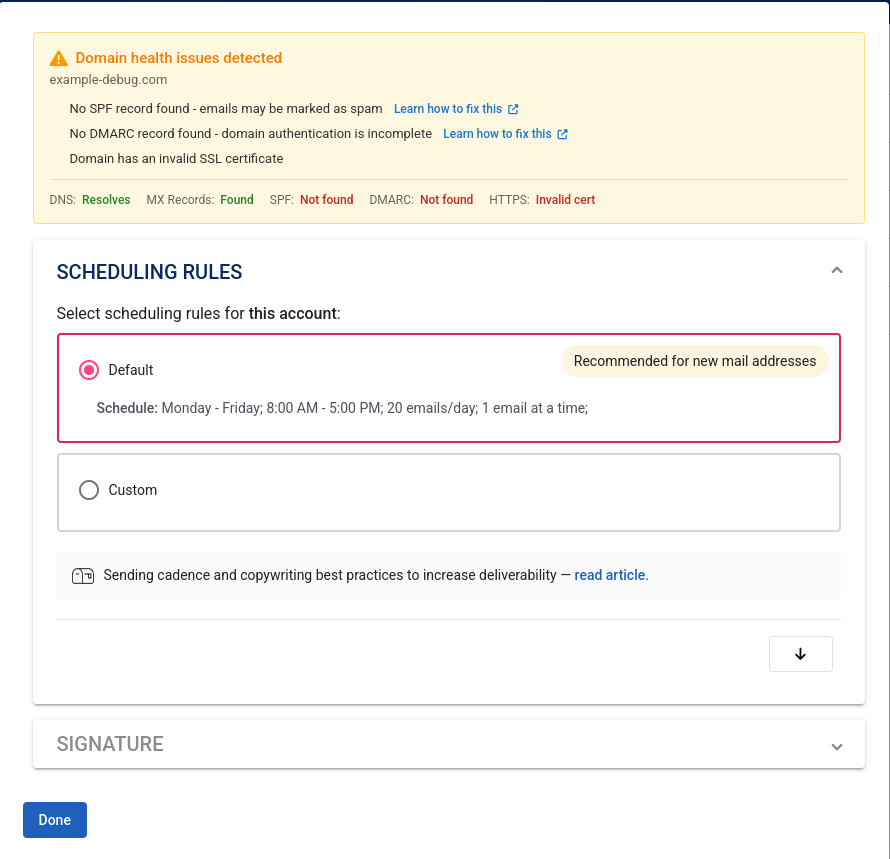
Missing records ⚠️
One or more records (SSL, MX, SPF, or DMARC) weren’t detected.
We’ll highlight what’s missing and provide next steps.
What these checks don’t validate
-
We only check for the presence of SPF and DMARC records
These records can still be misconfigured even if they exist.
-
We do not check DKIM
DKIM records are unique per sending account and can’t be detected automatically as part of these checks.
💡 In practice, domains that already have SPF and DMARC tend to be configured correctly, but we still recommend reviewing them if you run into issues.
How to fix missing DNS records
If an alert shows that something is missing, you can follow the guides below:
- How to set up a DNS record, SPF, DKIM and DMARC
- How to set up a DNS record, SPF, DKIM and DMARC for Google Email Addresses
- How to set up a DNS record, SPF, DKIM, and DMARC for Microsoft Office 365
These guides walk you through the setup step by step with examples.
Need help? If you’ve added the records and are still seeing alerts, or if you’re unsure about your setup, feel free to reach out to our support team hello@mailshake.com. We’re happy to take a closer look.
We run quick domain checks when you connect a sending account to flag missing SSL, MX, SPF, or DMARC records and guide you to fixes if needed.
These checks confirm that the most basic DNS records are present, but they don’t guarantee your domain is fully ready for cold outreach. Missing or misconfigured DNS records can impact deliverability, and inbox placement also depends on following best practices for cold outreach.