
API Key
If you need to rotate your API key for security reasons, you can now do it directly from your Mailshake account.
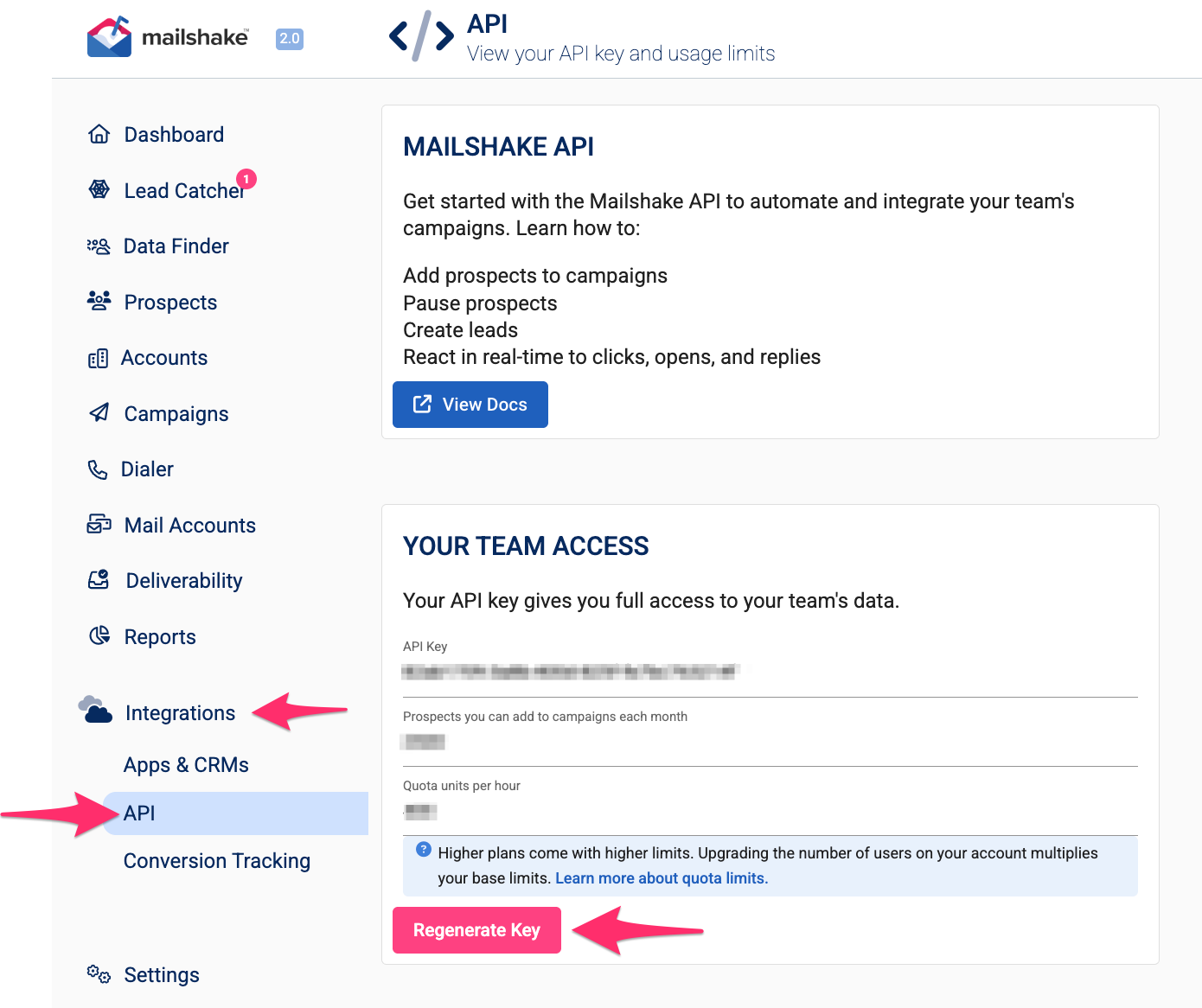
- Go to the API section in your Mailshake account.
- Click the Regenerate Key button.
- You'll see a warning letting you know that your current API key will be revoked immediately.
-
Confirm the action to generate a new API key.
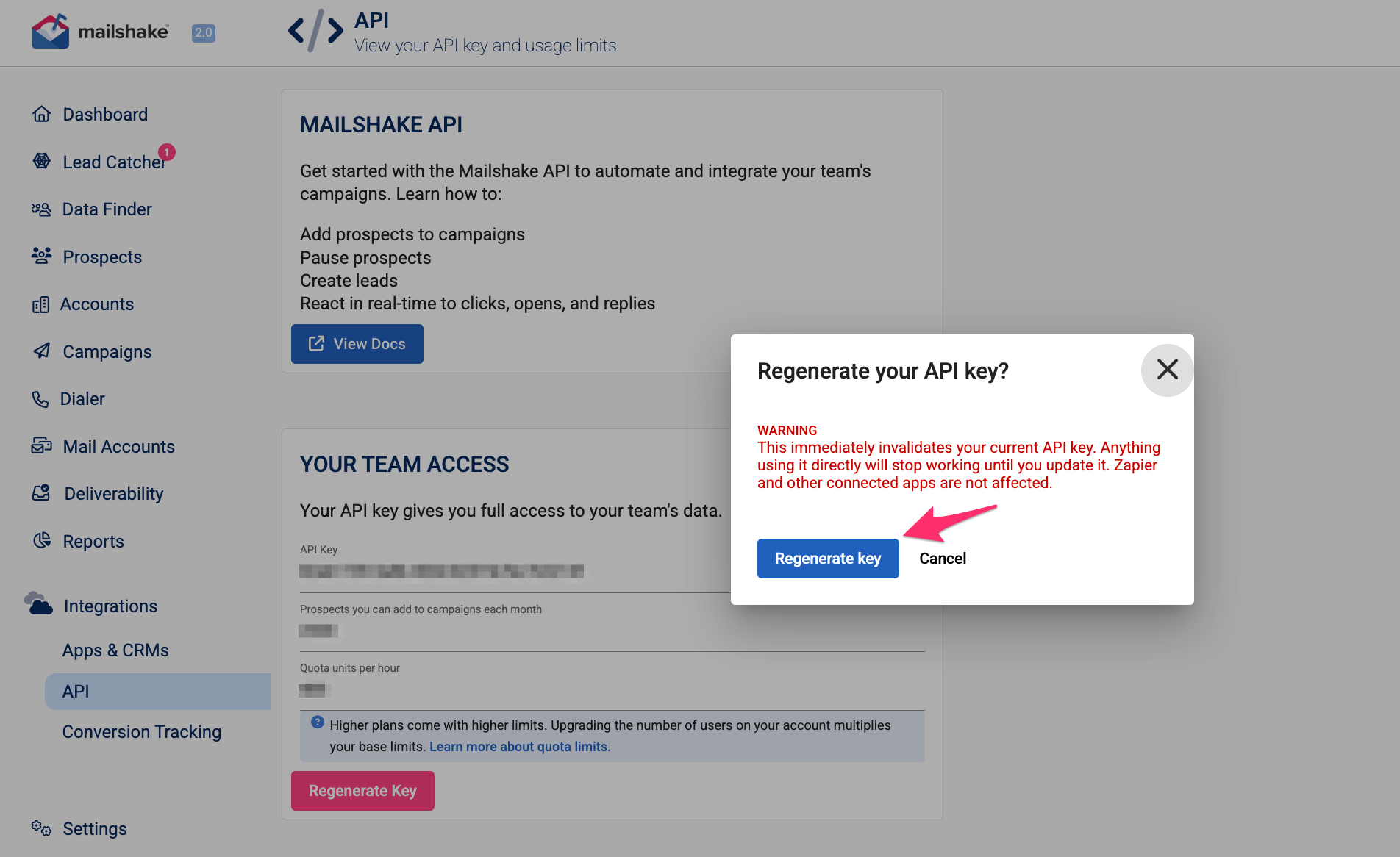
- Regenerating your API key immediately invalidates your existing key.
- Before confirming, make sure you're ready to update the new API key anywhere it's currently being used to avoid interruptions to your integrations or applications.
Once you've confirmed, your new API key will be generated and ready to use.
Note: Only Team Admins can regenerate an API key. If you don't see this option, you'll need to contact a Team Admin for assistance