
AI Sequence Suggestions
AI Sequence Suggestions helps you quickly build a complete campaign by automatically generating follow-up emails after you write your first message.
Instead of starting from scratch, you can create an entire sequence in seconds with suggested follow-ups and delays already included.
How AI Sequence Suggestions Work
Once you create a campaign and write your first initial message, the AI writer automatically steps in to help you finish the rest of your sequence.
Here’s what to expect:
-
After saving your first message, you’ll see an AI loading block appear right below it:
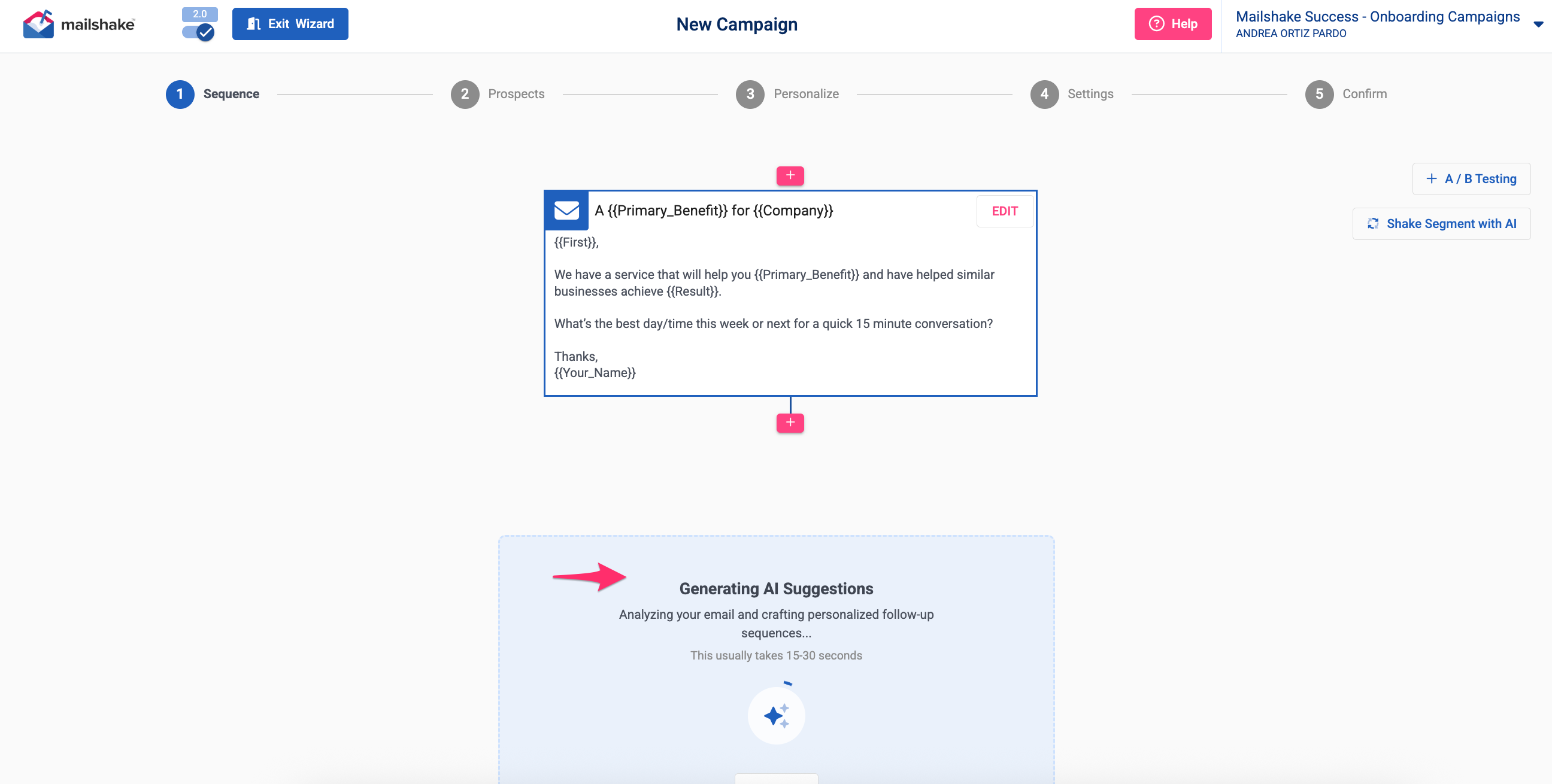
- The AI typically takes 15–30 seconds to generate suggestions.
- Once ready, it will generate 4-5 follow-up emails.
-
Suggested delays between follow-ups are included automatically:
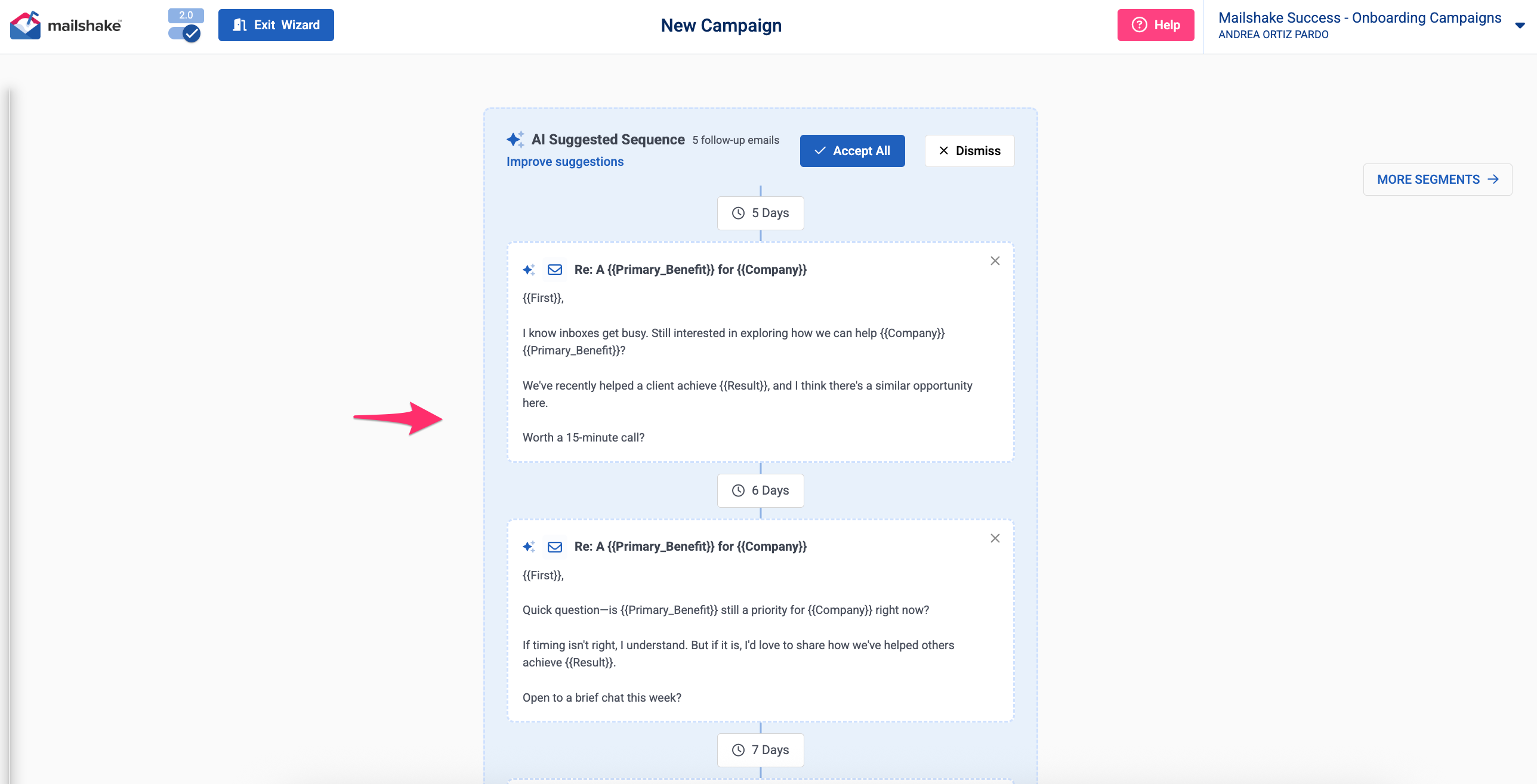
At this point, you’re in control, you can review, accept, improve, or dismiss the suggestions.

If you accept the AI suggestions:
- All follow-up emails are added directly to your campaign sequence
- Suggested delays are applied automatically
- No additional setup is required
You’re ready to move forward with a complete sequence:

Improve Results (Optional)
Before accepting, you’ll see an option to Improve results.
This allows you to give the AI more context, such as:
- A brief description of your company
- Your website URL
- Relevant case studies or examples
Adding this information helps the AI refine and improve the follow-up messages so they’re more aligned with your business and goals:

Dismiss the Suggestions
If you choose to dismiss:
- All AI-generated suggestions are removed
- Nothing is added to your sequence
- You can continue building your campaign manually
Dismissed suggestions won’t be saved.
Quick Tip 💡
The more context you give your first message — and the optional “Improve results” step — the better the follow-up suggestions will be.