
How do I purchase mailboxes to use with Mailshake?
Mailshake makes it easy for you to purchase mailboxes with a new domain in Mailshake. This is great for teams that need a dedicated domain for cold emailing or may need to scale up to multiple domains for larger outreach efforts.
The best part? Mailshake Mailboxes will automatically be set up for use in Mailshake, helping you get started easily.
Purchase Mailboxes
-
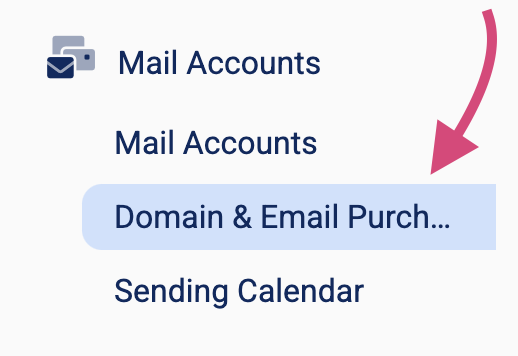
In the left side menu, click Mail Accounts, then click Domain & Email Purchasing
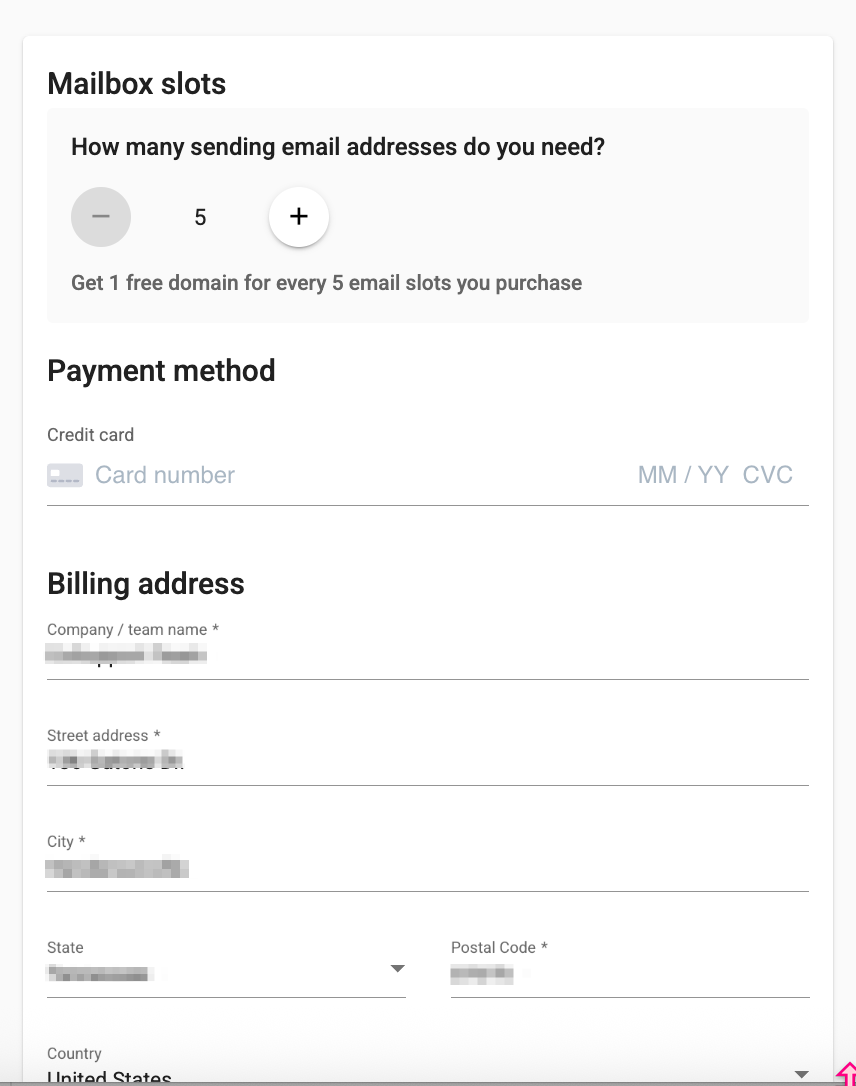
- Select the number of Mailboxes that you will need and enter your payment details.
- Mailboxes come in groups of 5
- You'll receive 1 domain for every group of 5 mailboxes
-
Click Finish checkout and proceed to domain lookup at the bottom.
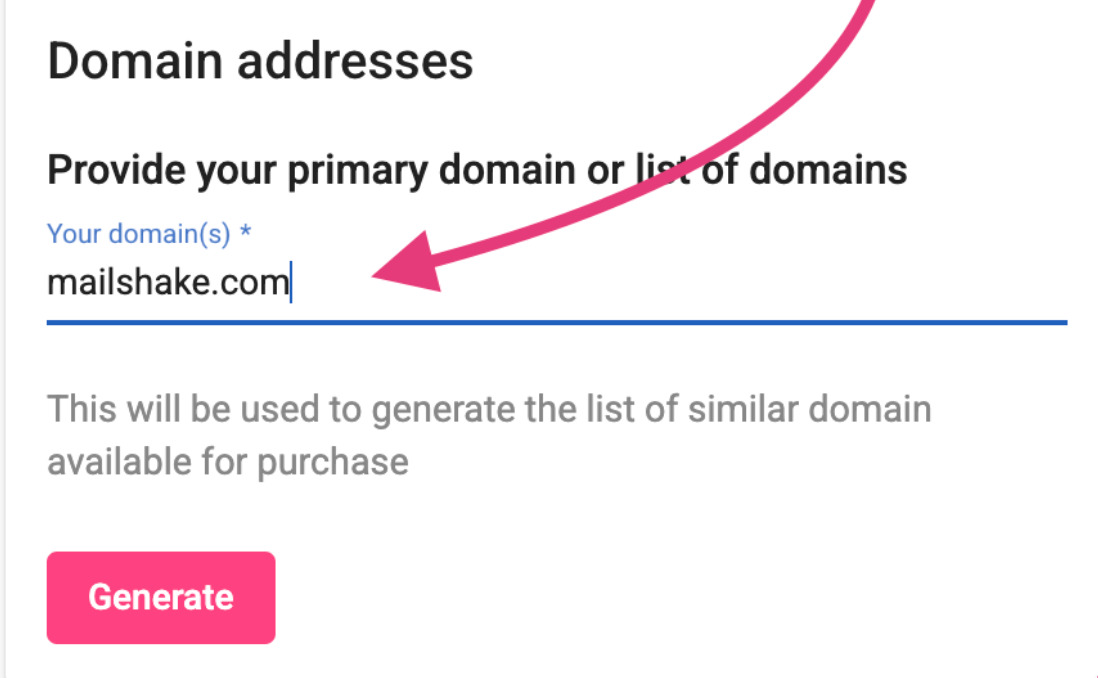
Enter your domain so we can suggest alternative domain options for you:
-
This may take up to a minute as our system needs to search for and generate available alternatives
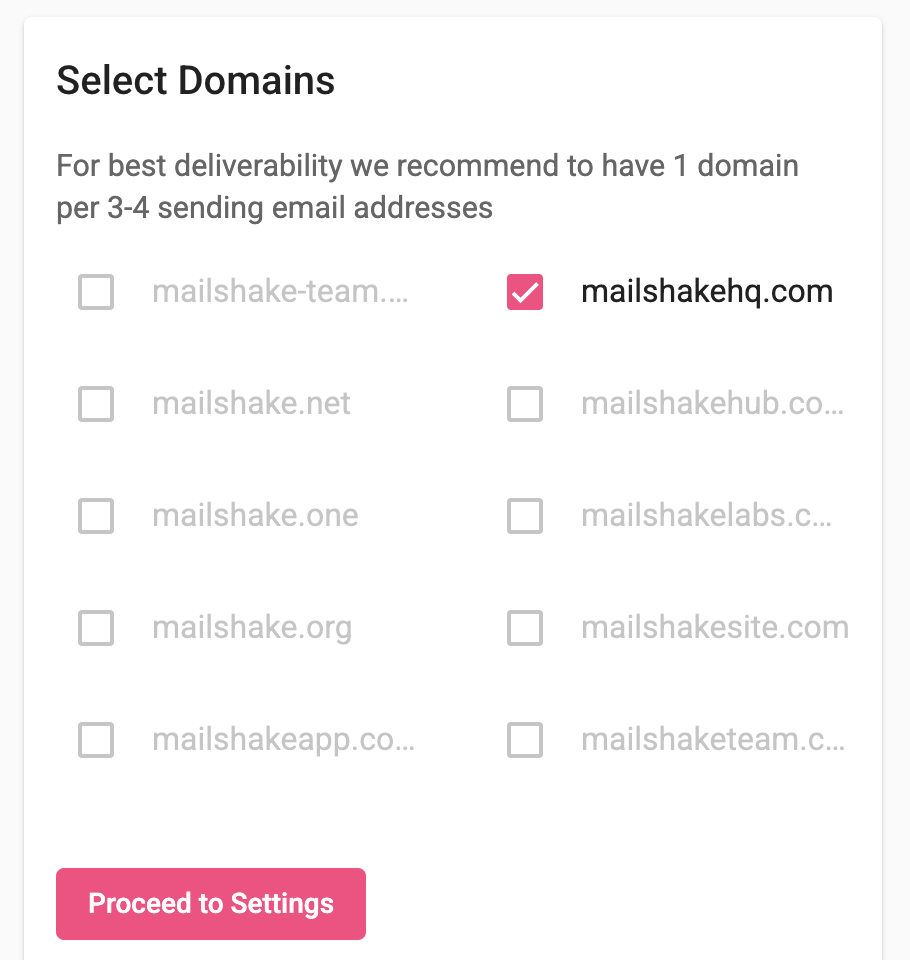
-
- Select the domain(s) that you'd like to select.
- Enter your current domain in a full URL format to be used for email forwarding
- Example: https://www.yourdomain.com
- Only use a domain you own
- Then click Register domain and proceed to email setup
Next: Emails Setup
Note: Emails purchased through Mailshake do not need to be connected to the warm-up tool. We recommend starting with a lower sending volume and gradually increasing it over time. Here’s our recommended sending cadence.